Easy step-by-step tutorial on how to record MSN webcam
Didnt you always want to record that *hot web cam session* ;)
ill share with u guys how to do that.
First you will need to download and install a small program called MSN Webcam Recorder
Program home page: MSN WebCam Recorder
Direct Download: Download the program
While installing it will ask you to install winpcap. The installer will handle ti download and install winpcap itself.
Update: The installer fails to download WinPcap (Gives a 404 – Page not found error). Please download WinPcap from here BEFORE running the MSN Webcam Recorder installer.
Now its time for action ;)
1. Start your hot cam session ;)
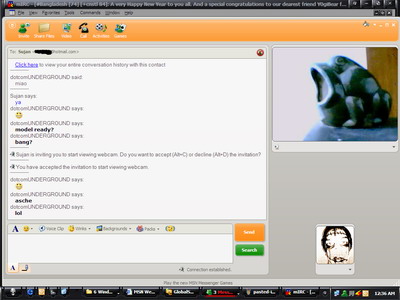
NO! m not into animals! just couldnt manage any hot model :(
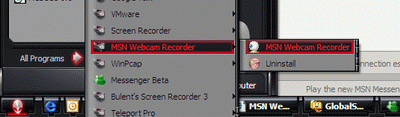
2. Fire up the installed “MSN Webcam Recorder” program.
Start > All programs > MSN Webcam Recorder > MSN Webcam Recorder
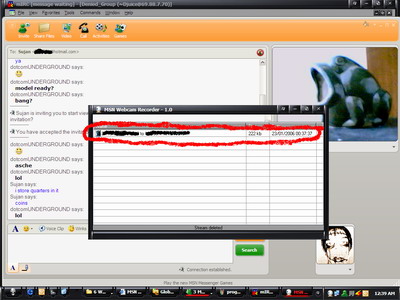
3. The main program window opens with your webcam stream selected. The stream sould appear as
4. When you are done with the recording (showz over :( ), select the stream.. right chick and select “stop”
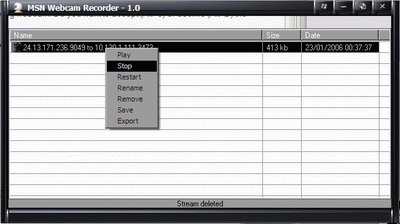
5. NOW! its time to export.
Go back to the main recorder window… select your stream… right click… select “export”
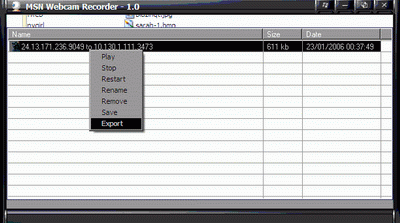
The export windows come up
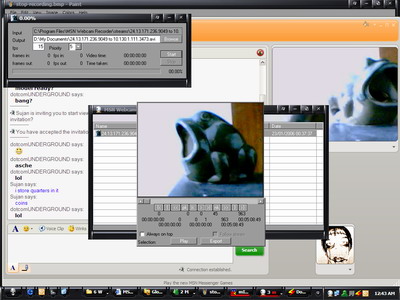
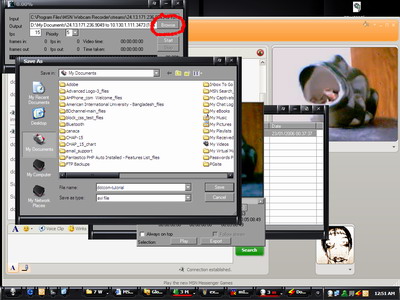
6. Browse where you wanna save the file
7. Hit the “start” button
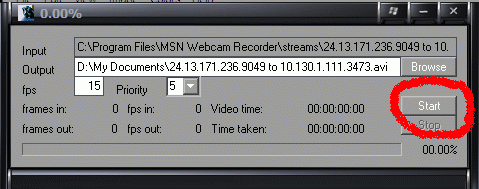
Select a codec (you can play around with diffrent settings)
I use DivX 6.1
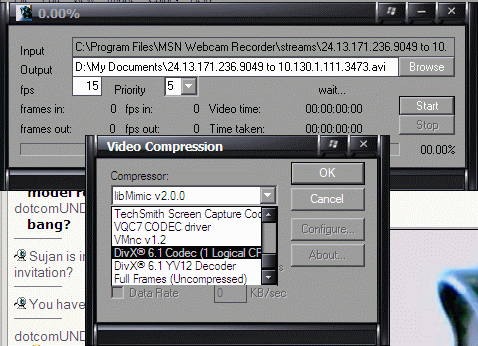
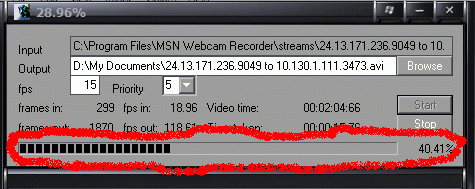
It will start exporting
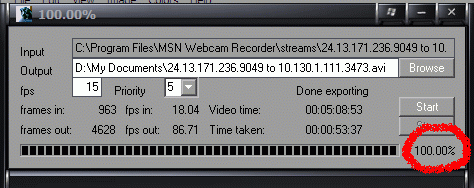
Now you are done
8. Time to clean up
Right click on the Export window and select “close”
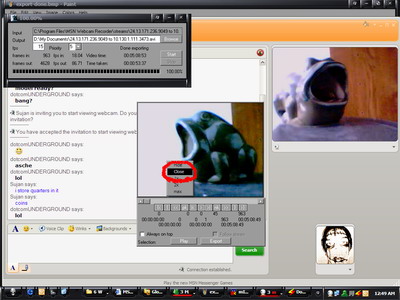
Lets remove the stream from memory. however keeping it would allow you to re-export it (say.. with a diffrent setting) if needed.
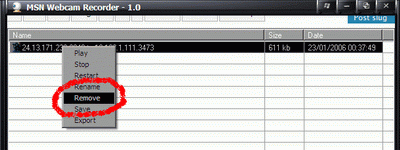
Time to exit the program
Right click the cam icon and select “exit”
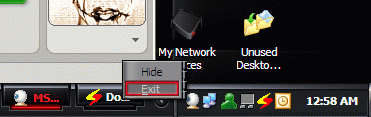
We can also show or hide the main program window from here.
DONE!
Enjoy those “special” moments whenever u like. n dont 4 get 2 share with me ;) ( jk )
Thanks to Sujan Bhi n his FROG 4 modeling ;) …lol




Tags: MSN Messenger, Tips and Tricks, Tutorials, Webcam, Windows Live, Windows Live Messenger, WLM
Categories: Tips and Tricks, Tutorials


