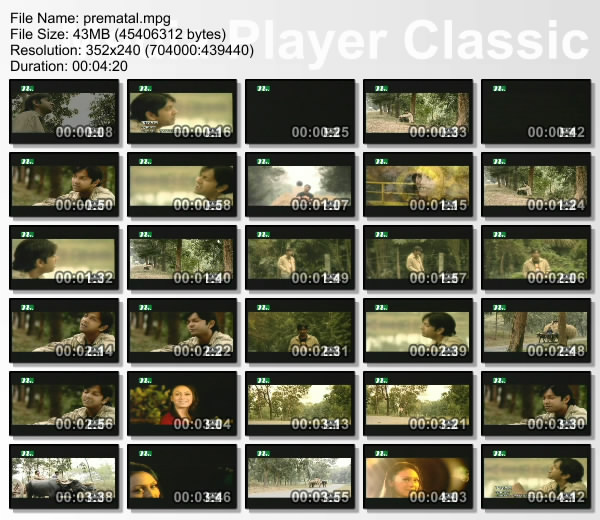
This tutorial will guide you to make sequential thumbnails or screenshots of a video file. Sequential thumbnail means it will autometically take screenshots from a video after some interval and scale them to a smaller size.
Our result will have a single image page containing several thumbnails or screenshots from a video. A great thing if you are sharing a video. People always wants to see what is in a video before they download it.
First we need to install a free software (open source) called Media Player Classic
Download:
Media Player Classic for Windows XP and Windows 2000
Media Player Classic for Windows ME and Windows 98
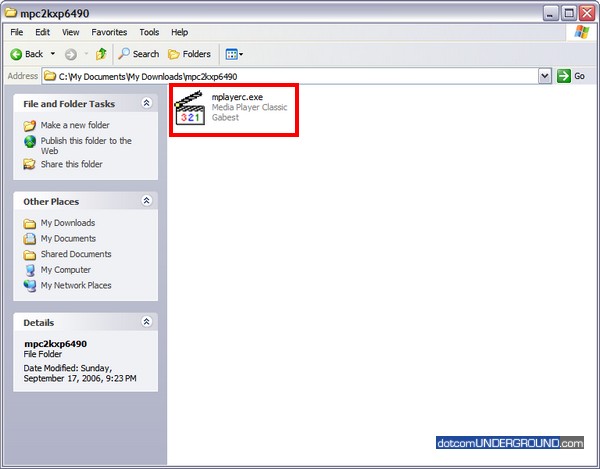
The software doesnt even need any installation. Simply extract the .zip and run the mplayerc.exe
![]()
This brings up the Media Player Classic.
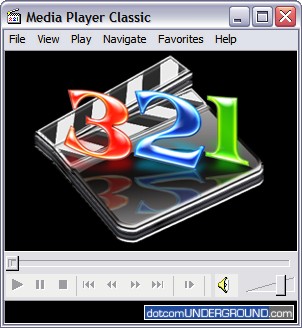
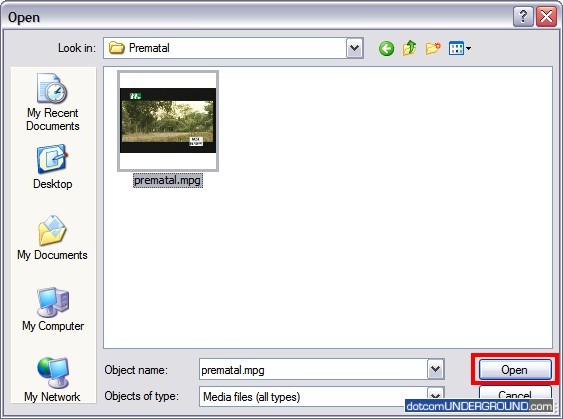
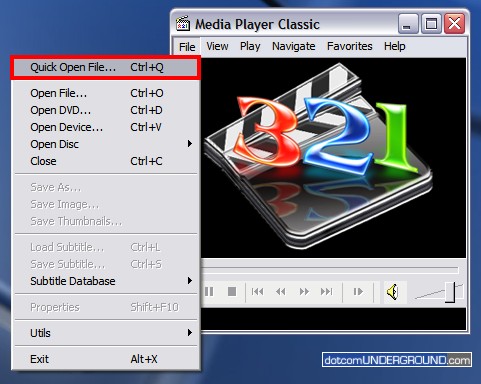
Now lets open our video file. Click on File > Quick Open File…
![]()
Browse to the file and open it.

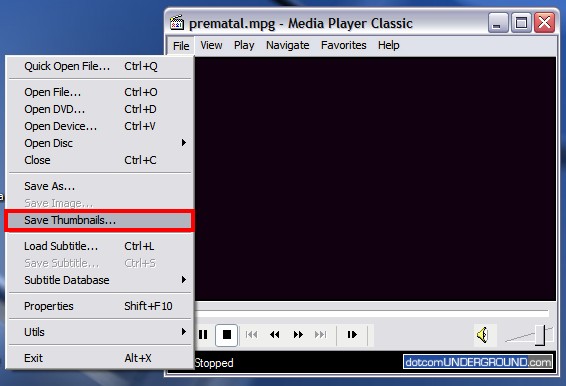
Now click on File > Save Thumbnails…
![]()
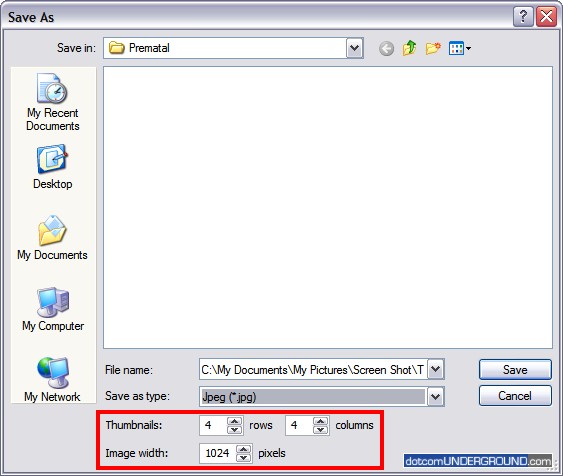
This brings up the Save As dialogue box.
![]()
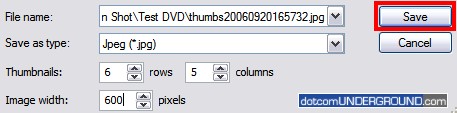
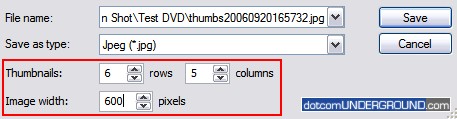
Note the thumbnail settings. This determines the size of the thumbnail page and how many thumbnails will be generated.
The above setting shows there will be 4 columns and 4 rows of thumbnails totalling (4×4=) 16 thumbnails. And the thumbnail page width will be 1024 pixels.
Now lets change the setting to have 6 rows and 5 columns of thumbnails totalling (6×5=) 30 thumbnails. Also setting the thumnail page to be of width 600 pixels.
![]()
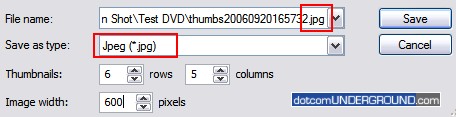
The image should be saved as JPEG (.jpg) to reduce the file size.
![]()
Click on the Save button to save it.
![]()
And we have our thumbnails
![]()


Download PDF
August 19th, 2008 at 10:43 am
Thanks a bunch.
August 18th, 2008 at 3:46 pm
Hi guys.
I think Video Thumbnails Maker by Scorp is much better than MPC.
You can download it here
http://www.suu-design.com/projects.html
Cheers,
ScorpBY.
August 16th, 2008 at 12:33 pm
Larry Says:
“Note on 8000ffff Error Fix.
mediaplayer->view->options->Playback->output->DirectShow Video->check VMR9 renderless.
This fix works. You will need to make the change (per above), close media player then open it again before it will work.”
Thank you so, so, much. I had tried all kinds of screen capture programs, but this works the best!
July 9th, 2008 at 5:21 am
[...] [...]
June 29th, 2008 at 6:49 pm
Note on 8000ffff Error Fix.
mediaplayer->view->options->Playback->output->DirectShow Video->check VMR9 renderless.
This fix works. You will need to make the change (per above), close media player then open it again before it will work.
May 26th, 2008 at 9:18 am
Is it possible take out the media player classic watermark?
May 16th, 2008 at 3:49 am
thanks thanks thankssssss main
worked
May 15th, 2008 at 11:01 am
I keep getting this message:
GetCurrentImage failed, hr = 8004022e
Can anyone help?
April 22nd, 2008 at 7:16 am
When you save a thumbnail in Media Player Classic it assigns the letters “thumbs” followed by a string of numerals representing the year, month, day and time to create a filename, unless you manually type in a different filename. Is there any way to make MPC automatically use the name of the file from which the thumbs were created and just add a .jpg or .bmp extension? I create many thumbnail files (sometimes 100s) and this would save me an enormous amount of time. It is the only real complaint I have about MPC.
March 12th, 2008 at 4:22 am
Oh yeah, don’t forget to restart MPC after this.