Saturday, October 25th, 2008




Tags: Beta, Microsoft, MSN Messenger, MSN Messenger 2009, MSN Messenger 9, Windows Live Messenger, Windows Live Messenger 2009, Windows Live Messenger 9, WLM, WLM 2009, WLM 9
Categories: Tech, Tips and Tricks
Are you getting error 810003c1 when trying to login to MSN Messenger 9 (also known as Windows Live Messenger 9, WLM 9, MSN Messenger 2009, Windows Live Messenger 2009, WLM 2009)?
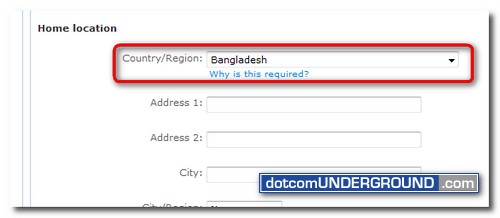
This error can be caused if the region setting for your account is not set. If you are seeing this error, please go to https://account.live.com/EditProf.aspx and make sure the Country/Region field is set correctly to your own country.
Tags: Beta, Microsoft, MSN Messenger, MSN Messenger 2009, MSN Messenger 9, Windows Live Messenger, Windows Live Messenger 2009, Windows Live Messenger 9, WLM, WLM 2009, WLM 9
Categories: Tech, Tips and Tricks


