Sunday, June 7th, 2009




Tags: Bangladesh, MSN Messanger, MSN Messenger, MSN Messenger 2009, MSN Messenger 9, Windows Live Messenger, Windows Live Messenger 2009, Windows Live Messenger 9, WLM, WLM 2009, WLM 9
Categories: Bangladesh, Tech
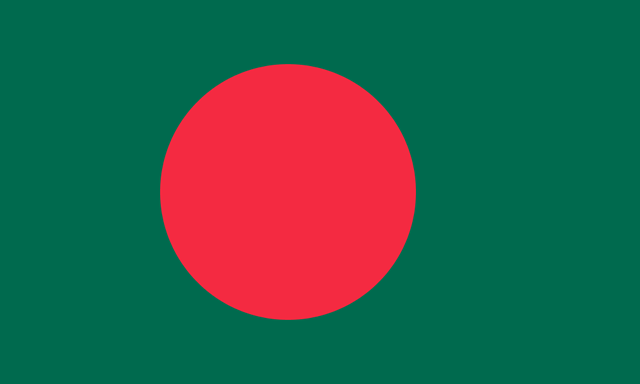
For anyone who might be interested to put on a “Bangladesh Theme” on his/her msn messenger I have created a Bangladesh Flag Windows Live Messenger Scene (MSN Messenger Scene, what we mostly call it).
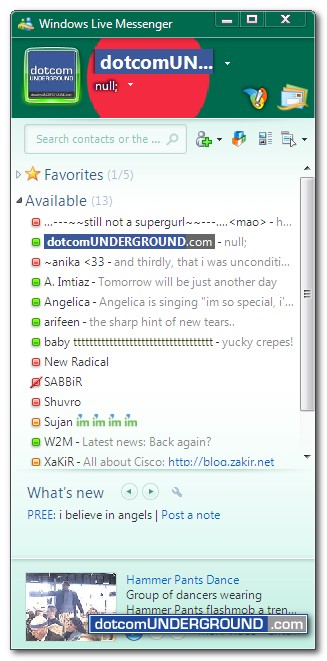
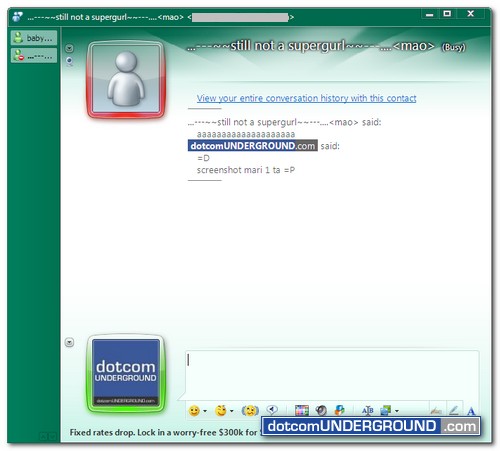
After applying the theme your messenger will look like this:
Main MSN Messenger (Windows Live Messenger) Window with Bangladesh Flag:
MSN Messenger (Windows Live Messenger) Conversation Window with Bangladesh Flag:
Download the MSN Messenger Bangladesh Flag Scene from here:
Download Bangladesh Flag Windows Live Messenger Scene (Right click and choose Save target As…)
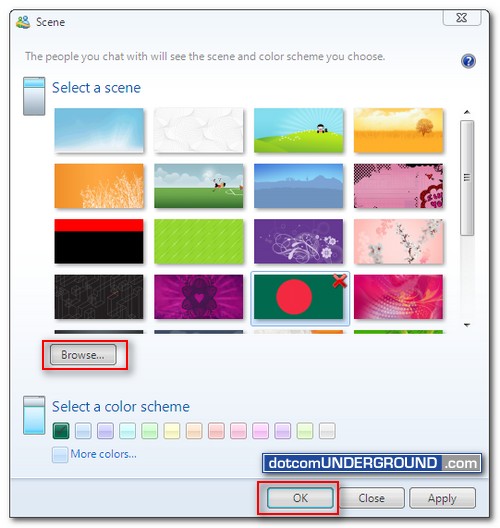
After downloading, click on your messenger display name and then click on “Change Scene…”
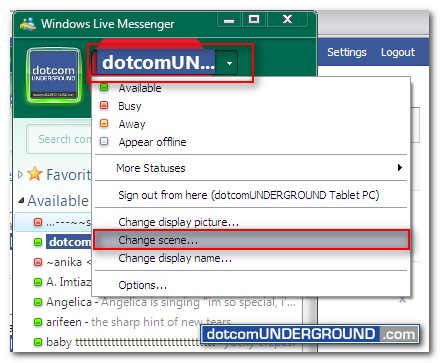
After that browse to the file you downloaded and click on the ok button.
Tags: Bangladesh, MSN Messanger, MSN Messenger, MSN Messenger 2009, MSN Messenger 9, Windows Live Messenger, Windows Live Messenger 2009, Windows Live Messenger 9, WLM, WLM 2009, WLM 9
Categories: Bangladesh, Tech