Want to set a small video as your “display picture” (avatar) of your Windows Live Messenger (MSN Messenger)?
You might already know that you can make one with a webcam. But if you don’t have one? Or if the video was taken outdoor with a mobile phone? You can still make a animated video display picture with a video taken on a mobile phone following instructions here.
Mobile phones usually save videos in .3gp or .mp4 format.
First transfer the files from your mobile phone to your PC.
Then you need to trim out the part of the video you want to use for the display clip. Not that the clip needs to be small.
To trim the mobile video follow the instructions here:
Trim/Split .3gp or .mp4 Mobile Videos with Free Software
Once you have the trimmed video, you need to make an animated .gif from it.
You can use Super Media Converter to convert your .3gp or .mp4 file to animated .gif file. Super Media Converter can be downloaded from here.
Once SUPER is installed, run it and select your “Output Container” as “gif (for making Avatars)“.
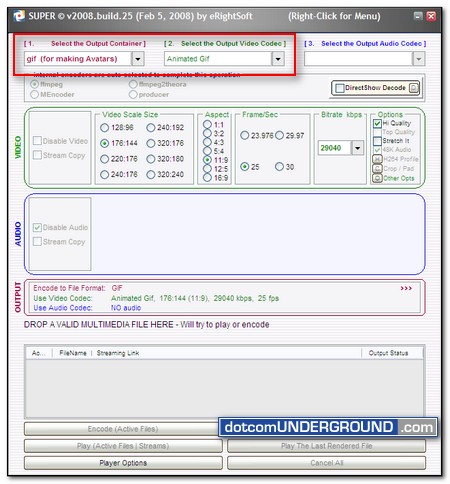
Drag the video file to the input area.
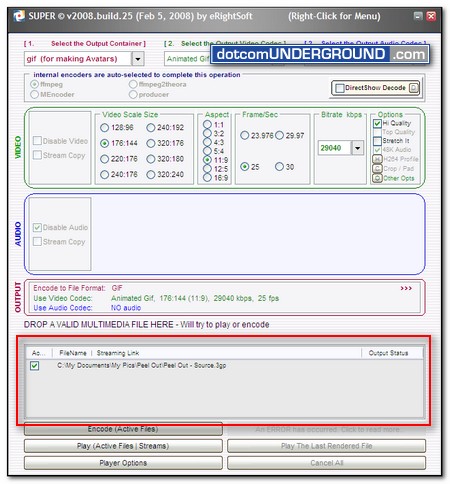
Now click on the “Encode (Active Files)” button.
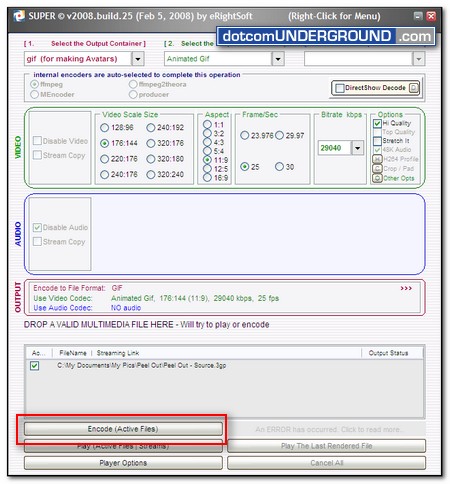
Once the encoding is done, you will find a .gif file on the same location as your .3gp or .mp4 file.
MSN Messenger will not accept any file larger than 200kb. So if your file is larger than this, you need to reduce your file size.
You can use an online image optimization service to reduce the file size.
To use Dynamic Drive Image Optimizer, visit their site here.
Simply hit the “Browse” button and browse to the .gif file. Then click on the “Optimize” button.
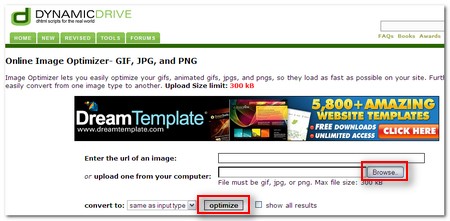
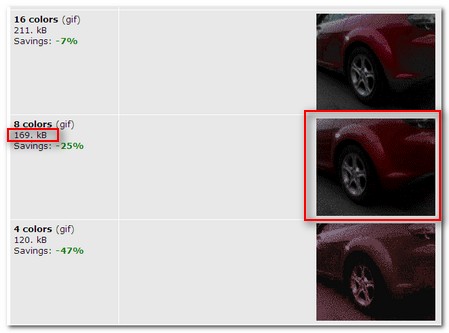
On the next page you will be presented with optimized animated .gif images of different quality. Choose the one which is right under 200kb and save it.
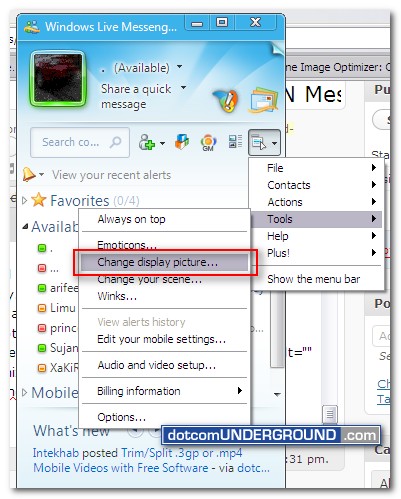
Now on your Windows Live Messenger (MSN Messenger) go to “Tools > Change display picture…“.
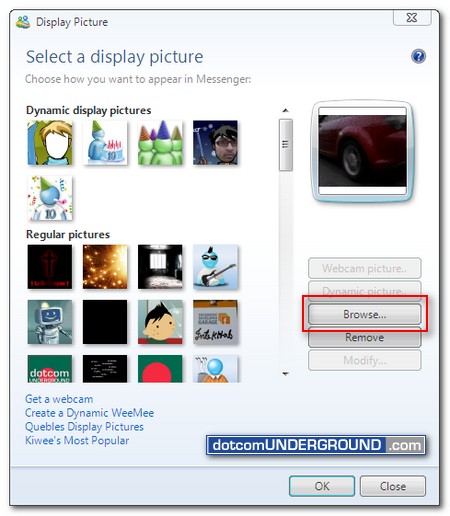
Click on the “Browse…” button, browse to the saved .gif file (under 200kb size!) and hit the “OK” button.
Done! You should now have the video set as the display picture of your MSN Messenger (Windows Live Messenger).
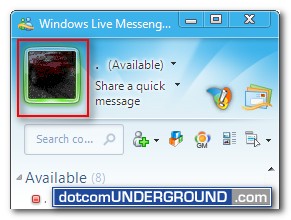
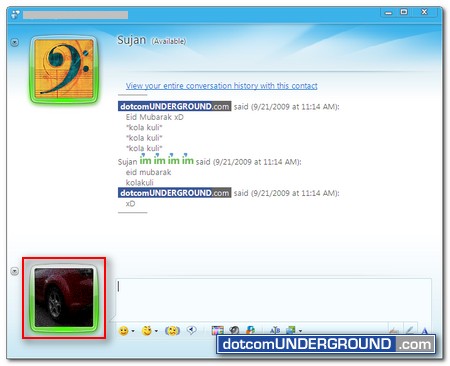
Have fun with your new MSN Messenger Video DP :)




Tags: MSN Messenger, MSN Messenger 2009, MSN Messenger 9, Windows Live Messenger, Windows Live Messenger 2009, WLM, WLM 9
Categories: Tech, Tips and Tricks, Tutorials


